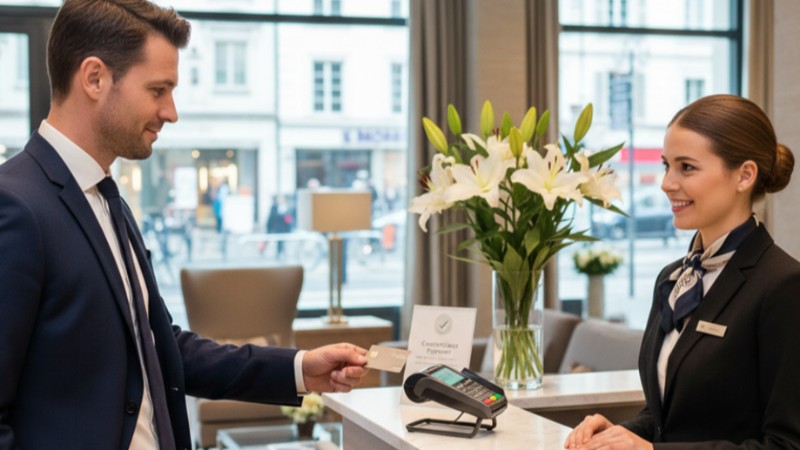
That familiar symbol—a sideways Wi-Fi icon on a card or terminal—has become ubiquitous. A quick tap replaces swiping, dipping, or signing. This is the reality of modern checkout, powered by contactless card payments. But how does this tap-to-pay technology actually work, and is it secure? This guide breaks down everything you need to know.
What Are Contactless Card Payments?
Contactless payments let you pay by simply holding your card or device near a point-of-sale (POS) terminal. It uses short-range wireless technology to transmit encrypted payment data. The goal is to make transactions faster and more convenient than traditional methods.
The Technology Behind the Tap: NFC Explained
The magic happens through Near Field Communication (NFC). Think of it as a very short, secure conversation between two devices—your card and the terminal. They must be within a few centimeters of each other to initiate this data exchange. The chip in your card generates a unique, one-time code for each transaction, which is instantly validated by the payment network.
Contactless vs. Chip & PIN vs. Magnetic Stripe
Not all card payments are created equal. Here's a quick comparison:
| Method | How It Works | Speed | Security |
|---|---|---|---|
| Contactless (Tap) | Hold card near terminal | Fastest (1-2 seconds) | High (dynamic encryption) |
| Chip & PIN | Insert card, enter PIN | Moderate (10-15 seconds) | High (two-factor auth) |
| Magnetic Stripe | Swipe card | Fast | Low (static data) |
How to Use Tap to Pay: A Step-by-Step Guide
Using contactless payments is intuitive. Once you know what to look for, you can tap with confidence at any compatible checkout.
Identifying Contactless Terminals and Cards
Look for the universal contactless symbol on the payment terminal. Your card will have the same symbol, often on the back. Most cards issued in the last 5-7 years are contactless-enabled. Smartphones and watches using Apple Pay, Google Pay, or Samsung Pay also work.
The Simple Process: Tap, Wait, and Go
The user experience is streamlined. First, ensure your purchase is within the contactless limit for your region. Then, hold your card within an inch or two of the symbol on the terminal. Wait for a beep, green light, or checkmark on the screen. That's it. You'll receive a receipt or digital confirmation, and you're done.
The Key Benefits of Switching to Contactless
The shift to tap-to-pay isn't just a trend; it delivers tangible advantages for everyone at the checkout.
Speed and Convenience at Checkout
Contactless transactions can be twice as fast as chip and PIN. This reduces queue times, improves customer satisfaction, and allows merchants to serve more people, especially during peak hours.
Enhanced Security Features
These payments are highly secure. The card never leaves your hand, reducing the risk of skimming. Each transaction uses dynamic encryption, meaning the data transmitted is useless if intercepted. If your card is lost, the contactless function can be disabled instantly by your bank.
The Hygiene Factor: A Post-Pandemic Standard
Minimizing physical contact with shared surfaces like PIN pads became a public health priority. Contactless payments address this directly, offering a cleaner payment method that consumers now expect.
Addressing Common Concerns About Tap to Pay
It's normal to have questions about new technology. Let's clear up the most frequent doubts.
Is It Secure? Debunking Myths
A common myth is that a thief could charge your card by walking past you with a reader. In reality, NFC's extremely short range makes this practically impossible. The card must be within centimeters. Furthermore, transaction limits and the requirement for occasional PIN entry add extra layers of protection.
Understanding Transaction Limits and PIN Requests
Most regions impose a single-transaction limit for contactless payments (e.g., $100). This limits potential fraud. After a certain number of consecutive taps or a cumulative spend amount, the terminal will request your PIN. This is a security check to verify you are the legitimate cardholder.
The Future of Contactless Payments
Tap-to-pay is just the beginning. The technology is evolving to make payments even more integrated into our daily lives.
Beyond the Card: Mobile Wallets and Wearables
The physical card is becoming one option among many. Mobile wallets on smartphones and payments via smartwatches or fitness bands use the same NFC technology. They often add biometric security (like your fingerprint or face ID), making them even more secure.
The Road Ahead for POS Technology
Contactless is the foundation for a more seamless retail experience. We're moving toward systems where loyalty points are automatically applied, digital receipts are instantly sent, and the entire checkout process happens on the customer's own device, blurring the lines between online and in-store shopping.
Embracing the Contactless Revolution
The move to contactless card payments represents a fundamental upgrade in how we exchange value. It combines superior speed, robust security, and welcomed convenience. For merchants, it's a tool to improve efficiency and customer experience. For consumers, it's a simpler, safer way to pay. As the technology continues to evolve beyond the card, understanding and adopting tap to pay is the first step into the future of transactions.
FAQ: Frequently Asked Questions About Contactless Card Payments
Can I be charged twice if I tap my card twice by accident?
No. Terminals are designed to prevent this. Once a transaction is initiated, the terminal ignores subsequent taps until the first one is fully processed.
What happens if my contactless card is lost or stolen?
Report it to your bank immediately. They will freeze the card, stopping all payments, including contactless ones. You are typically protected from fraudulent charges by your bank's zero-liability policy.
Are there any fees for using tap to pay?
No. Using the contactless function on your card does not incur any extra fees from your bank or the merchant. It's treated the same as any other card transaction.
Do all stores accept contactless payments?
Most do, but not all. Look for the contactless symbol on or near the terminal. Adoption is very high in supermarkets, pharmacies, and fast-food outlets, and growing rapidly elsewhere.
How does tap to pay work with my phone's mobile wallet?
It uses the same NFC technology. You add your card to a wallet app (like Apple Pay). To pay, you authenticate with your phone's biometric lock, then hold the phone near the terminal. It's often more secure as it uses a unique Device Account Number instead of your actual card number.